In this article
A launch only happens once, and most small skincare brands spend it the same way: one product photo, one "it's here!" caption, then silence. The brands that sell out plan the weeks around the launch as carefully as the formula.
Here are 10 posts that work together. Spread them over about three weeks: four before launch day, two on the day, and four after.
Before launch: make people curious
1. The problem post
Start with the reason the product exists, not the product. "Your moisturizer feels great at 8am and tight by noon?" Name the problem in your customer's words and let them nod along. No product shot yet.
2. The teaser close-up
Show a detail and hold back the rest: the texture on a fingertip, the shape of the cap, the color of the box. A cropped detail makes people zoom in, and a question like "Guess what this is?" gets comments.
3. Behind the scenes
A sample on your desk, the label proof, the first box off the line. Small brands win on trust, and people trust what they can see being made. Keep the photo real, not perfect.
4. The countdown with a reason to sign up
Announce the date and give one reason to act now: early access for your email list, or a launch price for the first 48 hours. Put the date in big type so it's readable in a second.
Launch day: make it easy to buy
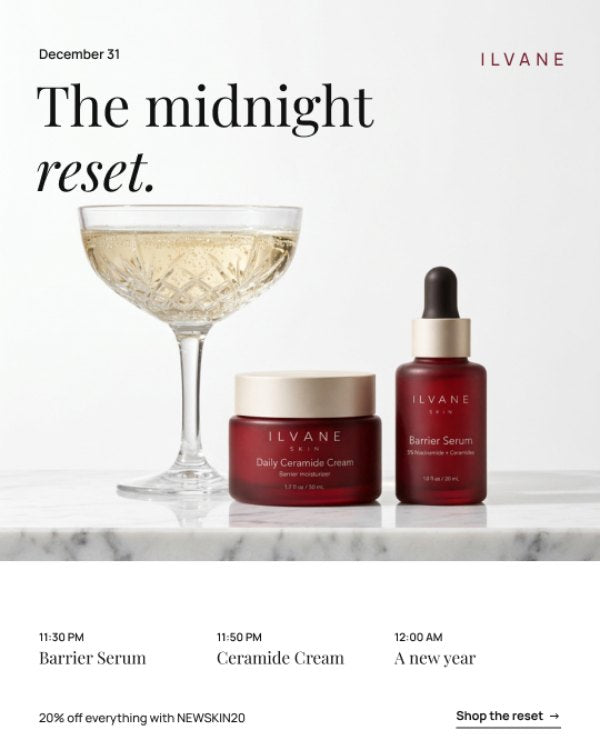
5. The hero post
Your best product photo, the product name, and one line on what it does. Not five benefits, one. Put the price in the caption and the link in your bio.
6. How to use it
A carousel or Reel showing when and how to apply it: how much, which step of the routine, morning or night. This answers the questions that stop people from buying.
After launch: give people proof
7. First reactions
Repost real messages, comments or stories from the first buyers, with their permission. One genuine "I didn't expect it to absorb this fast" is worth more than any claim you write yourself.
8. The ingredient story
Pick the one ingredient that matters most and explain it simply. What it is, why it's there, and how much you used if you're proud of the number. Avoid medical words like "treats" or "cures".
9. Myth vs fact
Every category has myths. "Oily skin doesn't need moisturizer." Correct one and connect it to your product without forcing it. Education posts are the ones people save.
10. The last call
If you ran a launch offer, remind people before it ends, with the end date and time in big type. If you didn't, close the launch with a thank-you post and a reminder of where to buy.
Two things that make the plan work
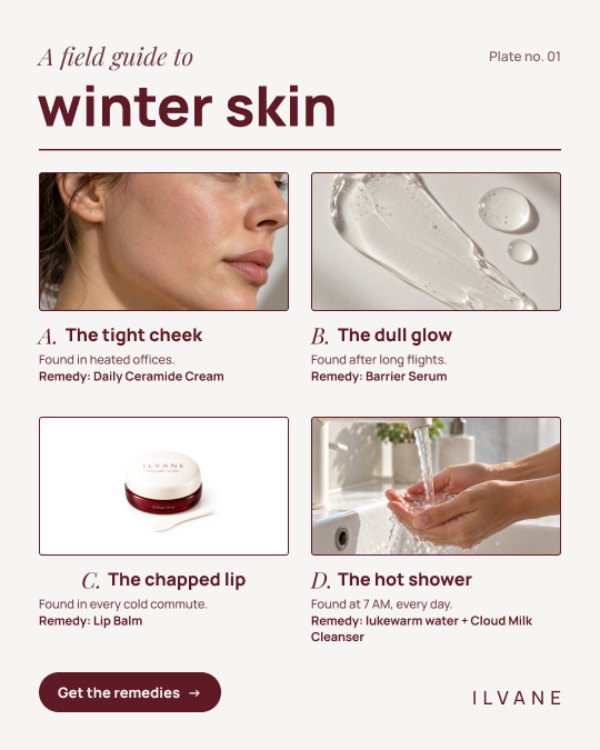
- Keep the look consistent. Same colors, same fonts, same photo style across all 10 posts. When people see post 7, they should know it's the same launch as post 1.
- Use stories in between. Polls, question boxes and countdown stickers keep people warm between feed posts, and they cost five minutes each.
A sample three-week launch calendar
Here's how the 10 posts fit around a Thursday launch. Adjust the days to your own date, but keep the rhythm: curiosity, then the launch, then proof.
- Week 1, Monday: the problem post.
- Week 1, Thursday: the teaser close-up.
- Week 2, Monday: behind the scenes.
- Week 2, Tuesday: the countdown with your email signup.
- Week 2, Thursday (launch day): the hero post in the morning, the how-to post in the evening.
- Week 3, Monday: first reactions.
- Week 3, Wednesday: the ingredient story.
- Week 3, Friday: myth vs fact.
- Week 3, Sunday: the last call.
Between these, post stories most days: a poll about the problem in week 1, a countdown sticker in week 2, and reposted customer stories in week 3.
Launch-day checklist
A launch post is only as good as what happens when someone taps through. Before your hero post goes live, check:
- The product page is live, with the price, photos and a short "how to use" section.
- The link in your bio goes straight to the product, not your homepage.
- Your launch offer or code works at checkout. Test it with a real order.
- Your email list gets the news at the same time, or before, Instagram.
- You've blocked an hour to answer comments and DMs on the day.
Mistakes that quietly hurt a launch
Revealing everything on day one. If the first post already shows the product, the name, the price and the benefits, there's nothing left to build curiosity with.
Using a new look for the launch. A launch is a big moment, so it's tempting to try a new style. But a feed that suddenly looks different makes people wonder if it's the same brand. Keep your fonts, colors and layout.
Stopping after launch day. Most sales from a launch come in the days after, once people have seen proof that the product works. The last four posts matter as much as the first six.
Talking only about ingredients. Ingredients matter, but people buy results and feelings. Lead with what the product does for them, then explain the ingredient behind it.
Questions people ask about launch posts
How far ahead should I start posting about a new product?
Two weeks is enough for most small brands. Start earlier and people forget; start later and there's no time to build curiosity. If you're collecting emails for early access, give yourself three.
Should I post a Reel or a carousel for the launch?
Both. Use a Reel for the how-to post, because motion shows texture and application better than photos. Use a carousel for the ingredient story and myth vs fact, because people save carousels to read later.
Do I need to offer a discount for a launch?
No. Early access, a free gift with the first orders, or a small launch bundle work just as well and protect your price. If you do discount, keep it short, like 48 hours.
How many hashtags should I use?
Three to five specific ones are better than thirty generic ones. Use your brand hashtag, one or two about the product category, and one about the problem it solves.
Keep reading
Your launch posts will work harder with the right words and photos: see how to write skincare captions that sell and how to make your product photos look consistent. For the stories around launch day, use these 7 story formats that get replies.
Want the posts already designed?
The Ilvane Skin social kit includes launch, teaser, how-to, review and last-call layouts, each with a caption already written. Swap in your product, logo and colors in Figma or Canva, and your launch month is ready.